 Pinball
Pirate Pinball: Treasure Island
Treasure Island is a bright cartoon pinball table for all ages. The ball lands in a pirate ship and gets fired out of its cannon, climbs a rope ladder ramp into a treasure chest, bounces off palm tree bumpers and gets bitten by a shark. Free to play in your browser.
The playfield is a ship deck with an old treasure map painted on it. Gold coins are scattered around the ship wheel in the middle: roll over all five to open the chest.
The ship wheel turns all the time and pushes the ball sideways as it rolls across, so every shot through the middle of the table takes a slightly different path.
Choose a table
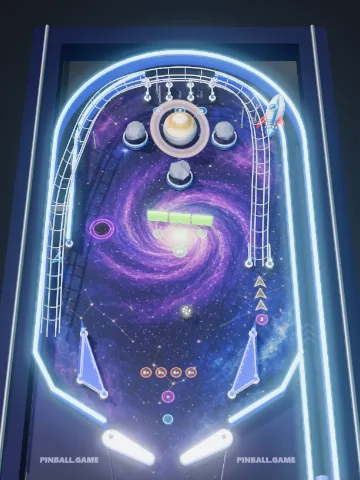 Space MissionFuel the rocket, open the black hole, orbit the planet.
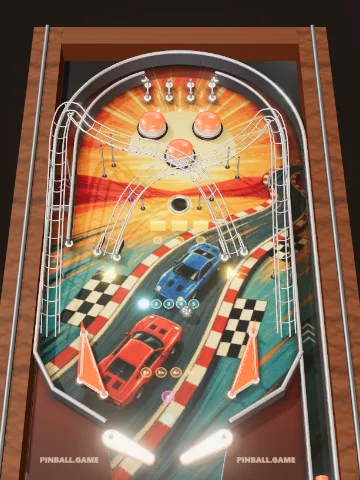 Grand PrixA retro 80s racing table with two crossing wire ramps.
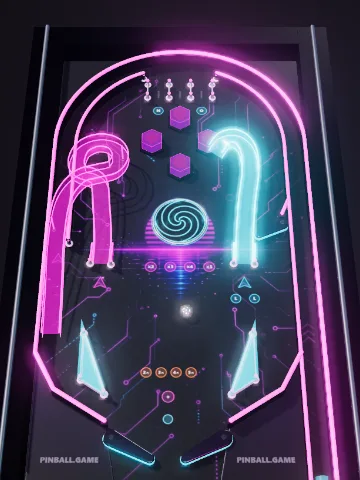 Neon RushGlowing spiral ramps, a vortex and ramp combos.
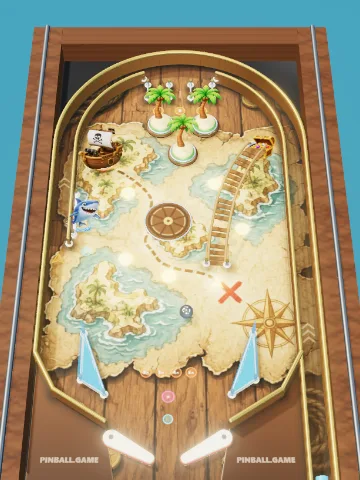 Treasure IslandA ship cannon, a rope ramp, a shark and gold coins.
How to play Treasure Island
- Launch the ball. Hold Space (or hold your finger on the table) to pull back the plunger, then release. A stronger pull sends the ball around the orbit; a soft one drops it into the top lanes.
- Flip. Use the left and right flippers to send the ball back up the table before it falls between them. Each game has three balls.
- Follow the mission. The mission panel shows what to shoot next. Missions lead to multiball and jackpots.
Controls
| Action | Keyboard | Touch screen |
|---|---|---|
| Left flipper | ← Left arrow, Z, A or Left Shift | Tap the left half |
| Right flipper | → Right arrow, /, M, L or Right Shift | Tap the right half |
| Pull and launch | Hold Space, ↓ or Enter, then release | Hold anywhere, then release |
| Pause | P or Esc | Pause button |
Treasure Island rules and scoring
- Gold coins. Each of the five coins pays 2,500. Collect all five to open the treasure chest.
- Treasure multiball. With the chest open, shoot the rope ramp or the chest itself to start a two-ball multiball.
- Gold jackpot. During multiball the chest pays a jackpot from 30,000, and every cannon shot pays 15,000.
- Cannon. The pirate ship holds the ball for a moment and fires it across the table into the palm trees.
- Rope ramp. 5,000 points, and the ball always drops into the chest.
- Shark. The shark on the left bites back with a hard kick.
Pop bumpers score 100 (200 during multiball), slingshots 30, and every feature adds to the end-of-ball bonus, which is multiplied by the bonus multiplier when the ball drains. An extra ball is awarded at 750,000 points.
Pinball tips for a higher score
- Don't flip at everything. Wait until the ball is just above the flipper. Flipping too early sends it down the middle.
- Catch and aim. Hold a flipper up and let the ball roll down onto it. With the ball resting near the base you can take a calm, aimed shot.
- Ramps need speed. A ramp shot has to climb, so hit the ball with the flipper while it is moving fast. A weak shot rolls back out.
- Cross the table. The left flipper aims at the right side of the table and the right flipper at the left side.
- Use ball save. For the first ten seconds after a launch, and at the start of every multiball, a drained ball is returned to you.
- Soft plunge. A gentle launch lets the ball drop into the top lanes instead of flying around the orbit.
Frequently asked questions
Is the pirate pinball game suitable for kids?
Yes. Treasure Island is a friendly cartoon table with no violence beyond a cartoon shark. There are no ads inside the game, no chat and no sign-up.
Is this pinball game free?
Yes. Pinball.game is completely free, needs no download and no account. It runs in any modern browser on a computer, phone or tablet.
How do I play pinball on a phone?
Tap the left half of the screen for the left flipper and the right half for the right flipper. To launch a ball, hold your finger anywhere and let go: the longer you hold, the stronger the shot.
What are the keyboard controls?
Left arrow or Z moves the left flipper, right arrow or / moves the right flipper. Hold Space (or the down arrow) to pull the plunger and release it to launch. P pauses the game.
Can I switch between 3D and a flat view?
Yes. The table opens in a tilted 3D view, like a real machine seen from the player's side. The 2D / 3D button next to the score switches to a flat top view and back.
Is my high score saved?
Yes. Your best score and your top five games on each table are stored in your browser on this device. Nothing is sent to a server.